Trustap uses a payment model where end-users pay a small fee to add Trustap's protection to their transactions. Trustap does not charge third-party clients to integrate Trustap into their services.
This guide details how the Trustap fee should be retrieved and handled when using the Trustap API.
The Trustap API calculates all fees based on your charge configuration. Work with your Trustap integration specialist to create a configuration that works for you.
The Trustap API calculates fees when a transaction begins, before payment has been made. This allows users to know ahead of time how much a transaction costs.
Handling the pricing of a Trustap transaction consists of four steps.
Retrieve Trustap's fees using a plain get request (note that this requires an active access token).
curl -i -X GET \
-u '<API_KEY>:' \
'https://api.test.trustap.com/v2/fees?amount=20000¤cy=usd'Create a new transaction by adding the fields provided by the call to /v2/fees to a transaction.
- You must use the correct
fees_buyerandfees_sellervalues for yourfees_configandcurrency. - Use the
buyerandsellerfrom the fees step and ensure you use the samefees_configandcurrency.
curl -i -X POST \
  -u '<API_KEY>:' \
  https://api.test.trustap.com/v2/transactions \
  -H 'Content-Type: application/json' \
  -d '{
    "amount": 20000,
    "buyer_id": "1-506ec116-f0b3-4ea8-bfd0-ea0e7b9d18aa",
    "currency": "usd",
    "description": "Trustap socks",
    "fees_buyer": 1050,
    "fees_config": 1,
    "fees_seller": 0,
    "seller_id": "8e5cbedc-e57b-42e5-a3bd-2f9ced81a2d0"
}'We encourage you to display the entire cost of the transaction and the breakdown of costs to your buyer before sending them to the Trustap payment screen.
Append your redirect_uri to the payment_link returned from creating a transaction.
https://actions.stage.trustap.com/transactions/<transaction_id>/pay?redirect_uri=<your_redirect_uri>Redirect your buyer to this URL. The payment screen displays the fees before the buyer pays for the transaction.
Use the amount_extra field to include additional costs in a transaction beyond the base price. Use this field for overhead expenses like shipping surcharges, local taxes, or custom processing fees.
curl -i -X POST \
-u '<API_KEY>:' \
https://api.test.trustap.com/v2/transactions \
-H 'Content-Type: application/json' \
-d '{
"amount": 20000,
"amount_extra": 500,
"buyer_id": "1-05e0e1f8-5acb-4576-91c2-21006d9a2c37",
"currency": "usd",
"description": "golf socks",
"payment_method": "card",
"role": "seller",
"seller_id": "1-784bd00d-6638-4714-b67a-51b09b007a83"
}'When you provide a value for amount_extra, it is added to the amount to form the total transaction amount paid by the buyer. It is displayed as a separate line item in a buyer's payment screen.
By default, this is labeled Extra Price in the Trustap payment screen. You can update this label in the Trustap Dashboard.
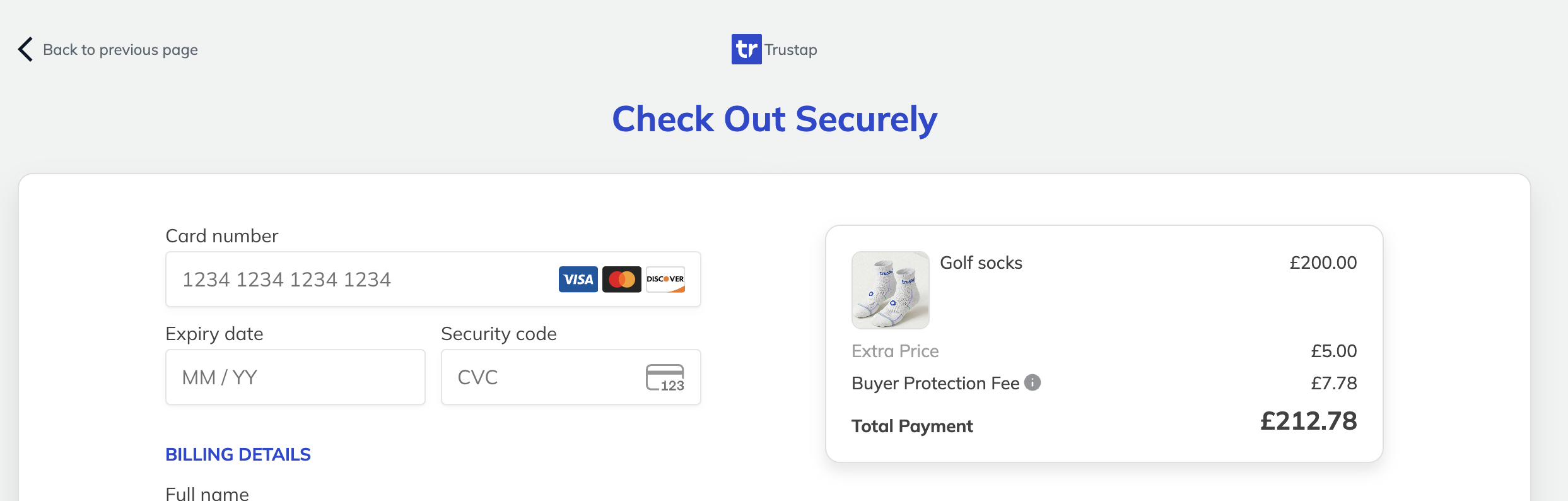
By default, Trustap fees are calculated on the sum of price + extra_price. However, if you wish to cover the processing costs of the amount_extra this can be configured by contacting solutions@trustap.com.
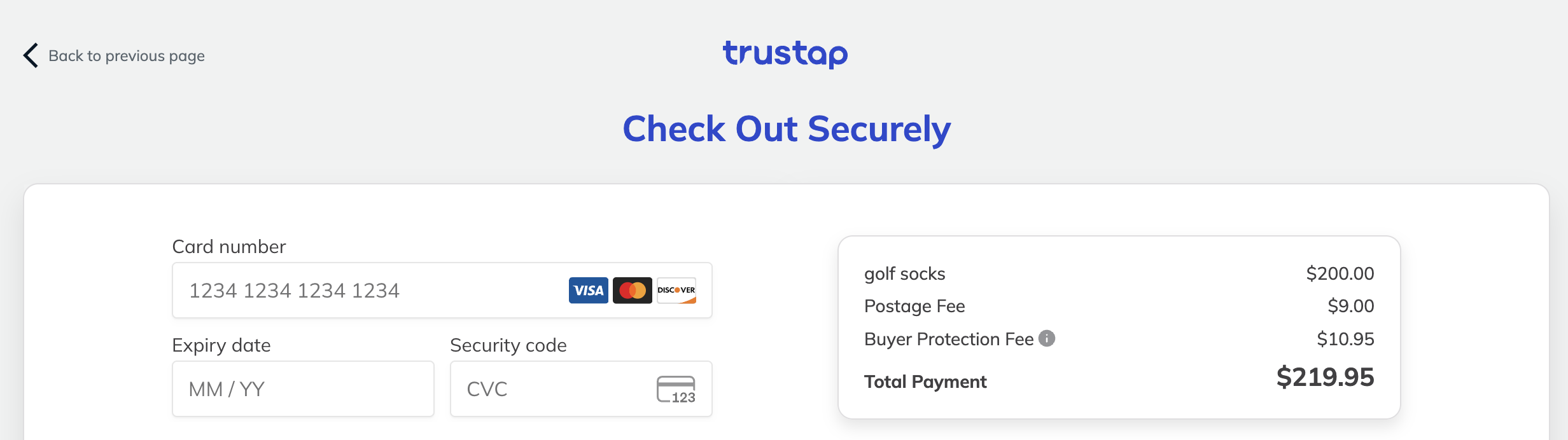
Use the amount_postage field to include postage costs in a transaction beyond the base price.
 curl -i -X POST \
  -u '<API_KEY>:' \
  https://api.test.trustap.com/v2/transactions \
  -H 'Content-Type: application/json' \
  -d '{
    "amount": 20000,
    "amount_postage": 900,
    "fees_buyer": 1095,
    "buyer_id": "1-05e0e1f8-5acb-4576-91c2-21006d9a2c37",
    "currency": "usd",
    "description": "golf socks",
    "payment_method": "card",
    "role": "seller",
    "seller_id": "1-784bd00d-6638-4714-b67a-51b09b007a83"
  }'
When you provide a value for amount_postage, it is added to the amount to form the total transaction amount paid by the buyer. It is displayed as a separate line item in a buyer's payment screen.
By default, this is labeled Postage Fee in the Trustap payment screen.
| Error message | Solution |
|---|---|
"code": "incorrect_fees_buyer","message": "specified buyer fees doesn't match expected buyer fees" | The fee that you set in your transaction is not the correct fee. Review your 'fees' endpoint and ensure you have used the same parameters for your transaction. |
"code": "incorrect_charge", "error": "incorrect charge, expected 81340 (got 27100)" | The fee that you set in your transaction is not the correct fee. Review your fees calculation and ensure you have used the same parameters for your transaction. |
"code":"unsupported_combination","error":"the provided payment method, charge config and currency combination isn't supported" | Your charge configuration does not support this currency and charge config combination. Check your charge config in the Trustap Dashboard. If the problem persists, contact your Trustap integration specialist. |
Trustap allows platforms to collect additional commission on each transaction. This commission can help cover operational costs or other platform-specific fees.
- Commission can be configured to be charged to the seller, buyer, or both.
- Commission can be charged as either a percentage of the transaction or as a flat fee.
- Seller fees are not displayed in the Trustap payment screen but are available in the charge endpoint.
- Collected commissions are held in the Trustap vault and manually paid out at agreed intervals.
- To enable and configure platform commission and other fees, contact your Trustap integration specialist.